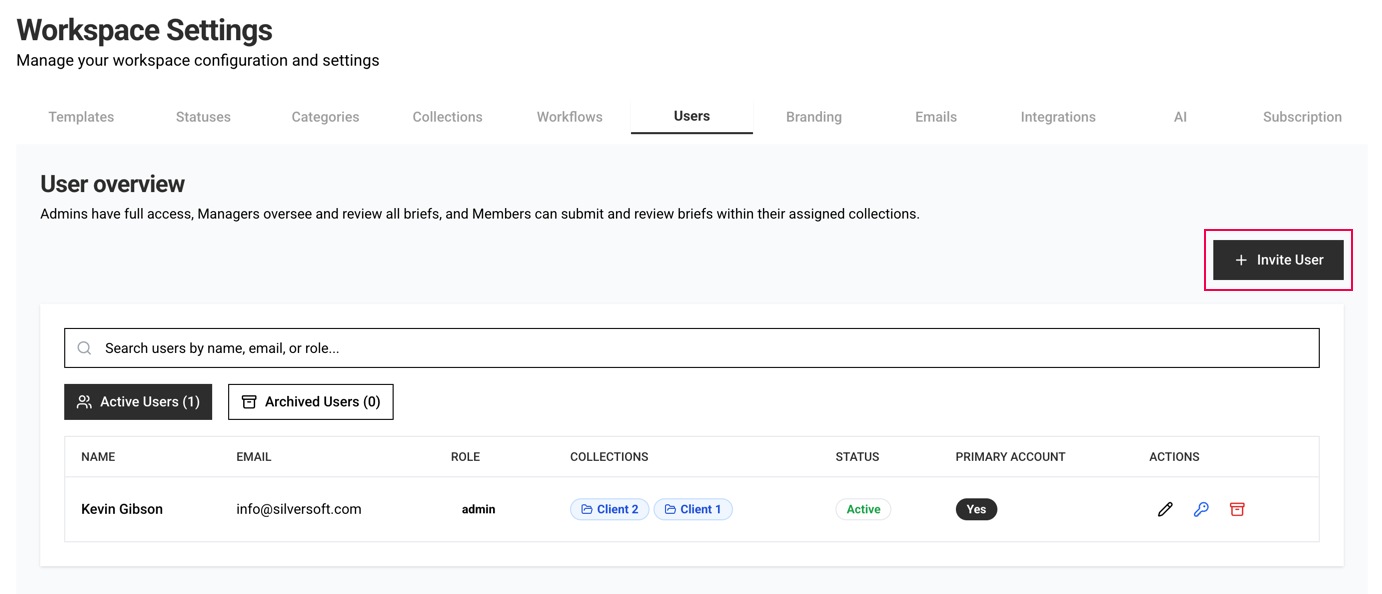
You can invite and manage users on the Users page.
User roles:
Admins have full access, Managers oversee and review all briefs (and have access to Analytics), and Members can submit and review briefs within their assigned collections and only see their own briefs (unless they are a part of a Workflow that requires their review).
Invite New User
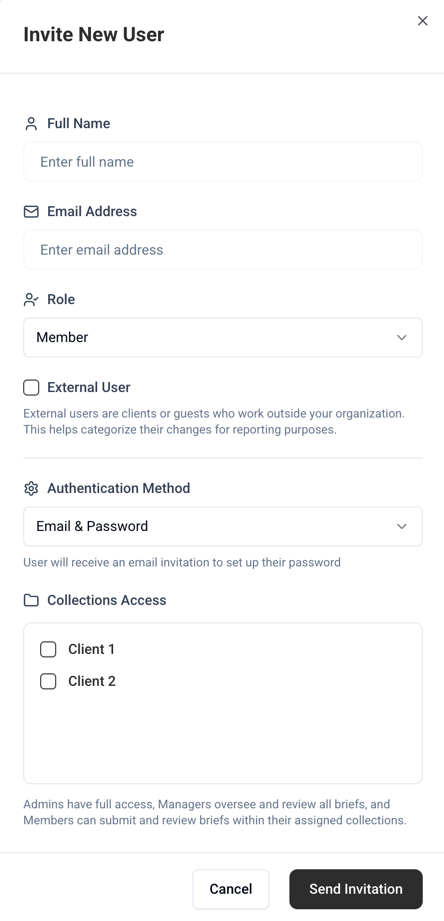
External user
Select this on your external users (external stakeholders typically). This field is directly mapped to the versioning functionality. If the user is INTERNAL (not External), briefin will ask to categorise why a new version was submitted allowing tracking of internal vs. external versions. This is showing in the Analy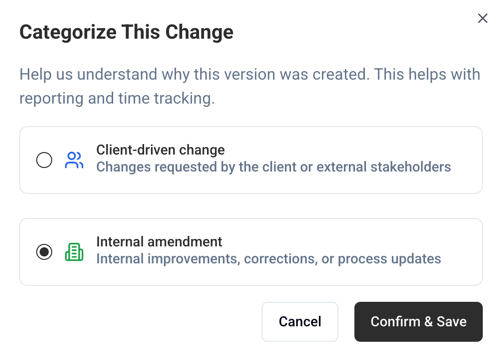
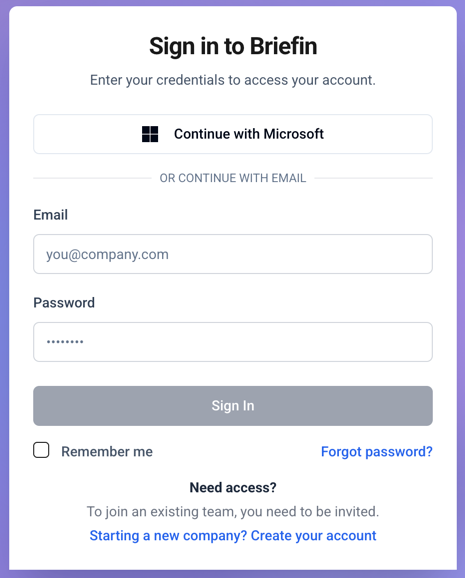
Single Sign On (Microsoft)
You can choose the Authentication Method to be either Email & Password or Microsoft SSO. When inviting a user with Microsoft SSO method, the user can use their SSO credentials to sign in to briefin.
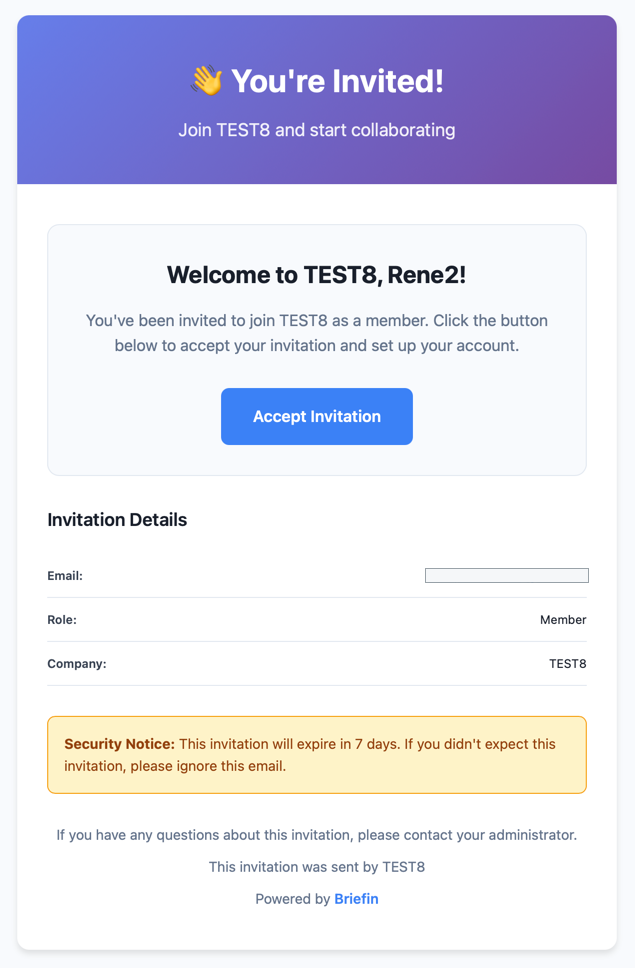
User Invitation email
Bulk Upload users
If you have many users that needs access, you can use the Bulk Upload feature.
Download the Template and populate it using the instructions provided inside, and then upload it to the modal. 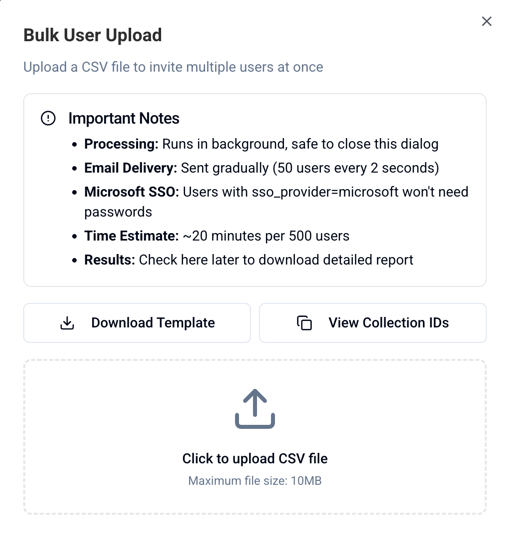
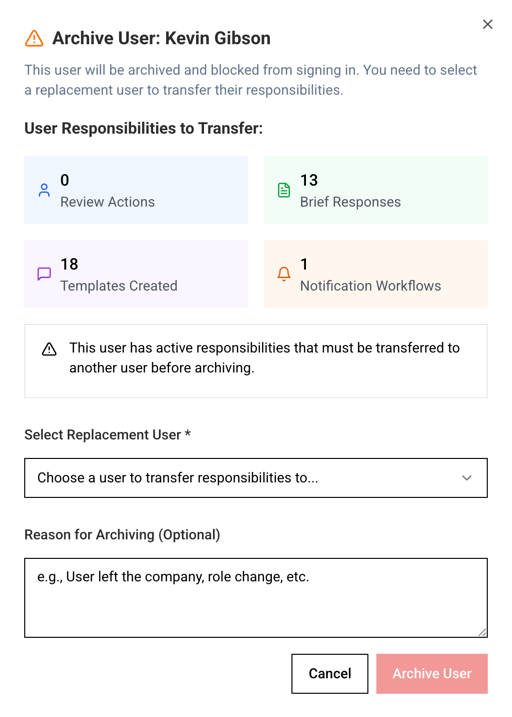
Archiving a User
All plans comes with unlimited users.
Was this article helpful?
That’s Great!
Thank you for your feedback
Sorry! We couldn't be helpful
Thank you for your feedback
Feedback sent
We appreciate your effort and will try to fix the article