Collections are used to make sure that the user type Member can only see briefs and brief templates within the same Collection as the user is assigned to. In other words, with collections you can make control that your users from Pepsi can't see what's going on for users in Coca Cola.
Each brief template is assigned to 1 Collection which also means that the same brief template type must be created multiple times, if the template is to be used on both Pepsi and Coca Cola. The good news is that you can Duplicate brief templates so it's easy to manage.
User Management
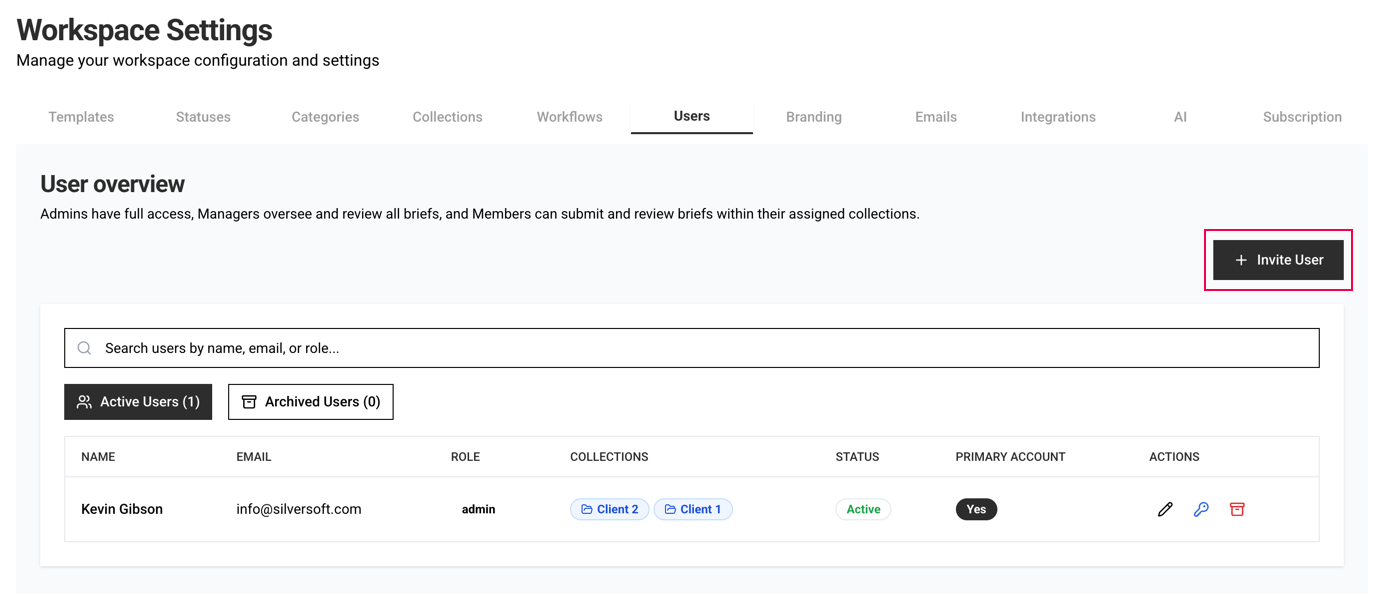
You can easily see from the Users page which users have access to which collections.
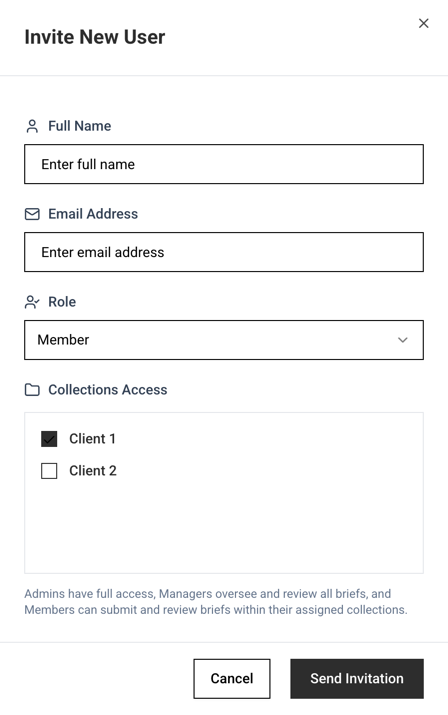
When inviting a new user you can define which Collections the user must have access to.
Was this article helpful?
That’s Great!
Thank you for your feedback
Sorry! We couldn't be helpful
Thank you for your feedback
Feedback sent
We appreciate your effort and will try to fix the article